Loader
Controller settings
Remap any action, pick a preset, tune the sticks and cursor, and keep a profile per game.
On this page
The loader’s menus use the same mapping as games, so a remap applies everywhere, and the help line at the bottom always shows the button currently mapped to each action.
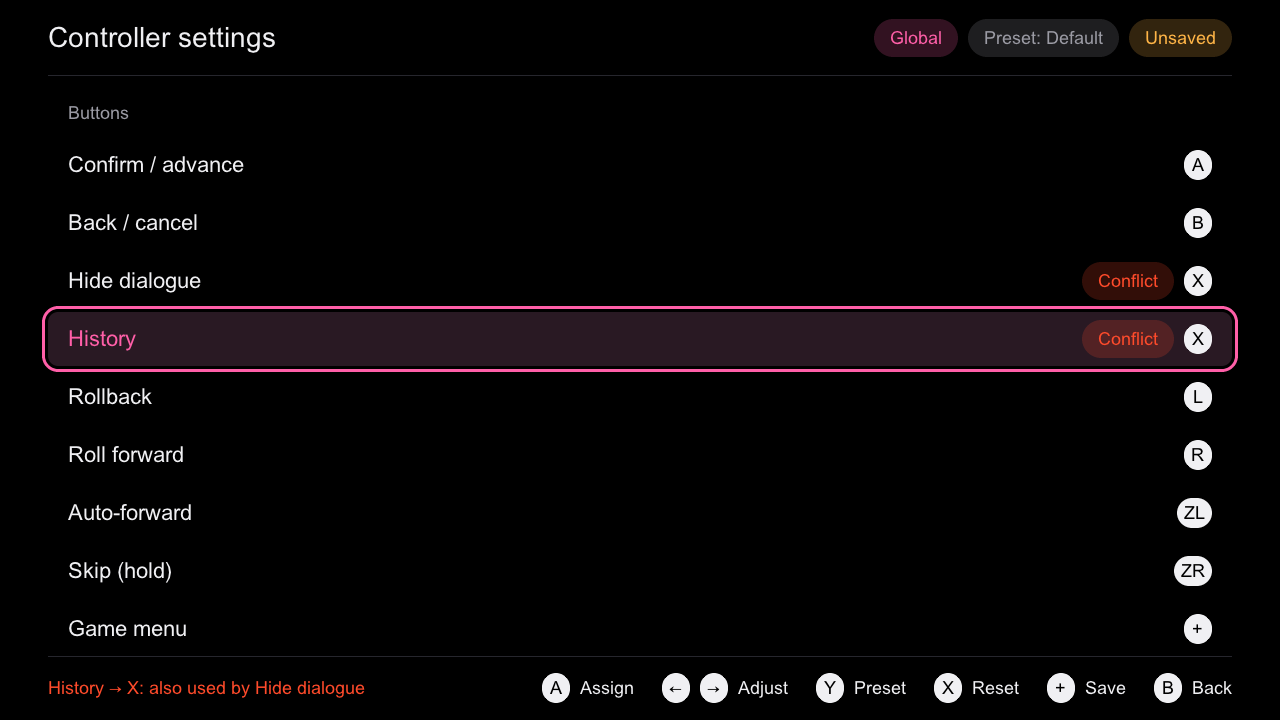
Remap an action
- Open the + menu, then Controller settings.
- Select an action and press A.
- Press the new button within 5 seconds.
- Press + to save. The new mapping applies at once.
Conflicting assignments are marked in red, and the status line says which action already uses the button, for example History → X: also used by Hide dialogue. The settings cannot be saved until every conflict is resolved, and essential actions (confirm, back, game menu, overlay and the four directions) must stay bound.
| Button | In controller settings |
|---|---|
| A | Assign a button / toggle |
| ← → | Adjust a value |
| Y | Next preset |
| X | Reset to default |
| + | Save |
| B | Back (twice if there are unsaved changes) |
In hardware run 26, confirm was remapped to X and hide_ui to A; the game then advanced with X (input: confirm (X)).
Presets
Y cycles through three presets:
- Default: the layout in Default controls;
- Left-handed mirror;
- One-handed right.
The same profiles are in config/profiles/ in the rpynx repo, and the tests check they match the built-in presets.
Sticks and cursor
At the bottom of the list:
| Setting | Default |
|---|---|
| Deadzone | 0.15 |
| Cursor speed | 0.6 |
| Cursor acceleration | 1.5 |
| Repeat delay | 400 ms |
| Repeat interval | 90 ms |
| Navigation stick | left |
| Cursor stick | right |
| Cursor visible | on |
Held directions repeat with these timings in the loader too.
Per-game profiles
Select a game in the library and press X (or choose Controls for this game on its details). The header shows Global or the game’s profile, the preset, and Unsaved while there are changes. A game profile is saved to config/controller/games/<id>.json; the global one to config/controller/global.json.
note
Per-game profiles are implemented and host-tested; test H14 (a per-game profile on the console) has no hardware result yet.
Saved safely
Profiles are versioned JSON, loaded strictly: unknown actions or buttons, wrong types and newer versions are rejected. A save writes x.tmp, then moves the old file to x.bak, then moves x.tmp to x, so an interrupted save always leaves a readable file. A damaged file falls back to .bak, then to the defaults, and the library shows a banner saying so. The format is in Controller config JSON.
Controller test
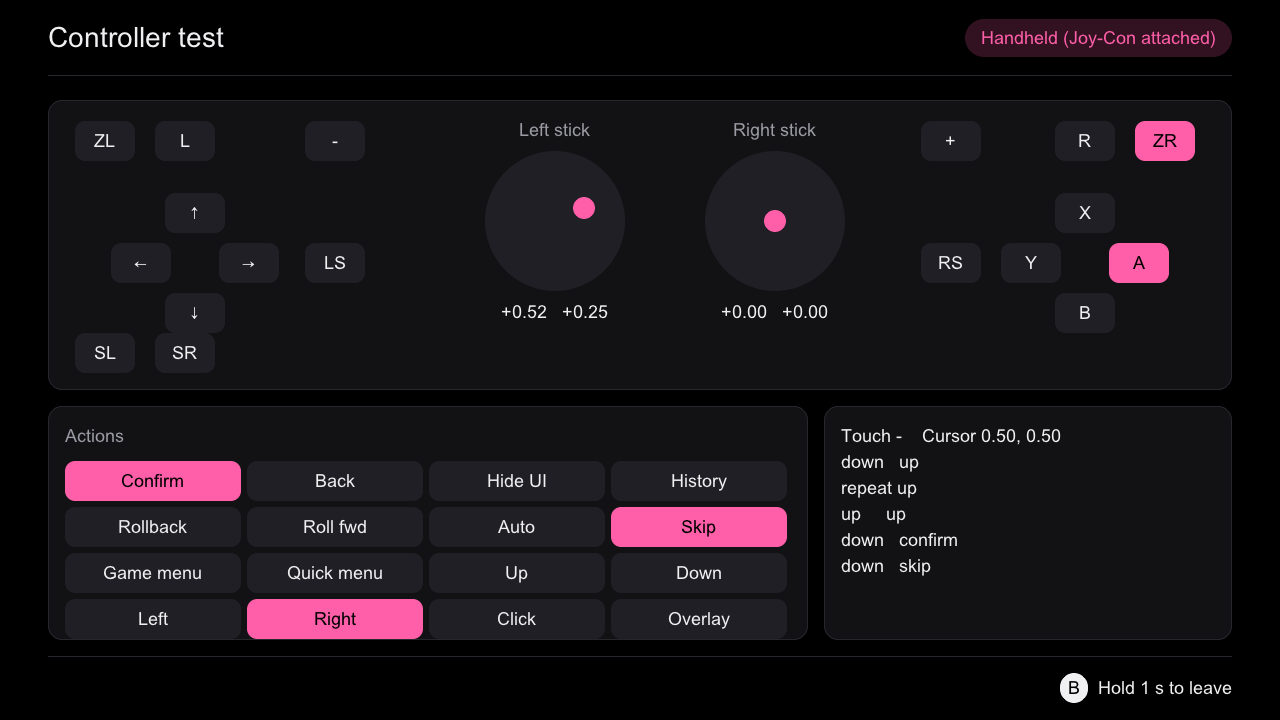
Controller test in the + menu shows the buttons as on the controller, lit while pressed, with the logical action each one triggers, the stick values, touch, the cursor and the last six events. Hold B for one second to leave.