
Getting started
Install on the Switch
Copy the loader and the runtime to the SD card, start the loader once, and check what it created.
On this page
Requirements
- A Switch that runs homebrew: Atmosphère and the Homebrew Menu. rpynx has been tested on firmware 20.3.0 with Atmosphère 1.11.1 (hardware run 8).
- An SD card with room for the runtime (55 MB) and your games.
- The two
.nrofiles. No release has been published yet, so for now you build them from source.
Copy the two programs
| From | To on the SD card |
|---|---|
dist/renpy-loader.nro | switch/renpy-loader/renpy-loader.nro |
dist/renpy-runtime.nro | switch/renpy-loader/runtimes/renpy-runtime.nro |
The loader can find more than one runtime: a game’s manifest names the runtime it needs, and the loader starts runtimes/<runtime>.nro. renpy-8.5.3, the only runtime so far, falls back to runtimes/renpy-runtime.nro.
You can also copy them over Wi-Fi with the FTP server in sphaira. From a checkout of the rpynx repo:
scripts/switch-ftp.sh 192.168.1.20:5000 push-loaderscripts/switch-ftp.sh 192.168.1.20:5000 push-runtimeEach command uploads the file, reads it back and compares it. Use the address sphaira shows; it comes from your router and can change.
First start
Start rpynx from the Homebrew Menu. On the first start the loader creates its folders and opens How to play, a short illustrated guide. You can open it again later from the + menu.
sdmc:/switch/renpy-loader/
├── renpy-loader.nro
├── runtimes/renpy-runtime.nro
├── games/              one folder per game
├── config/controller/  controller profiles
├── cache/              scratch space (self-test report)
└── logs/               loader.log, runtime.log
The complete tree, with the files that appear later (saves, covers, settings), is in SD card layout.
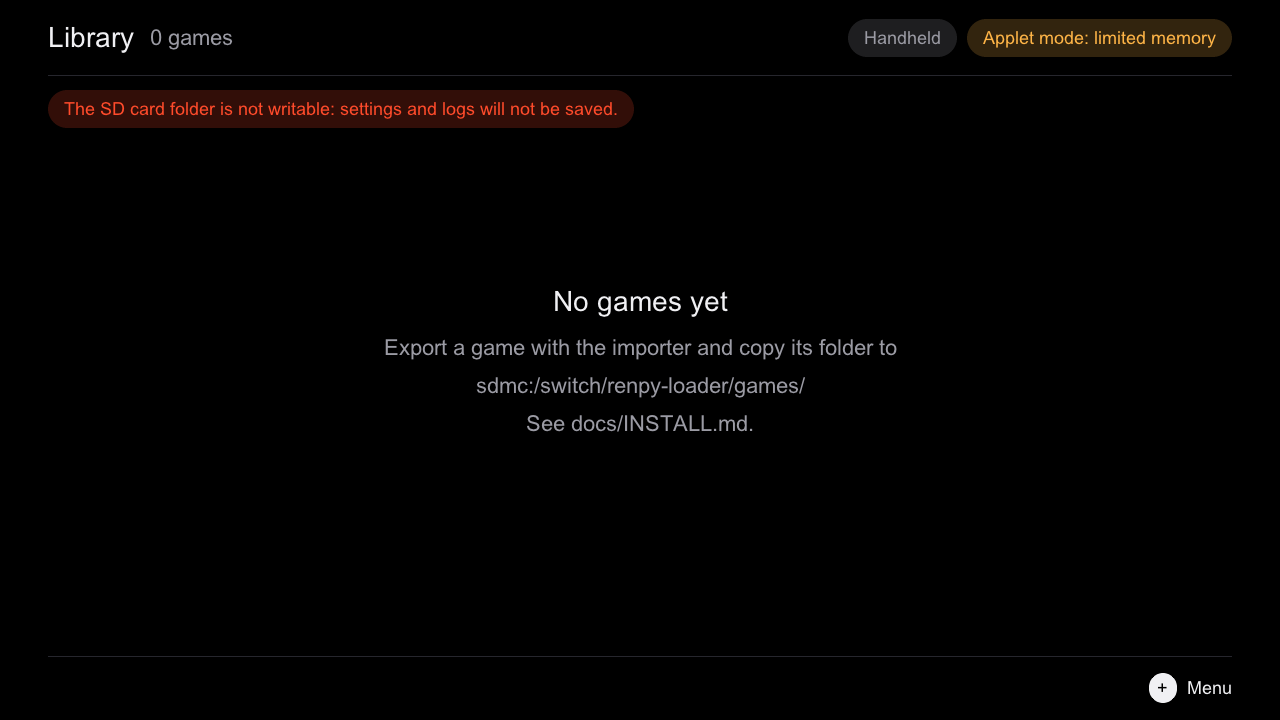
Check the install
Open the + menu and choose Diagnostics. It shows:
- the applet type: Application (full memory) is what games need;
- whether the SD folder is writable;
- whether the controller file was loaded;
- whether the runtime was found.
If the runtime is missing, the library refuses to launch games and says why. The next step is starting with full memory.